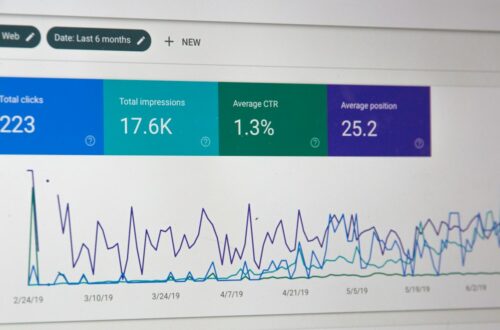








What is Keyword Research in SEO?
Understanding the fundamental keyword research meaning is essential before diving into tools and metrics. At its core, keyword research is the strategic process of discovering, analyzing, and prioritizing the specific search terms that your target audience types into search engines. Rather than guessing what your market cares about, data-backed research reveals the precise language, questions, and pain points of your future customers.
In modern search engine optimization, keyword discovery is no longer just about finding high-volume queries to repeat across a page. Search algorithms now emphasize semantic search, context, and user satisfaction. Effective research bridges the gap between what users search for and the practical solutions your business offers, serving as the foundational blueprint for your entire modern search engine optimization strategy.
Step-by-Step Keyword Research Process
Executing a repeatable step by step keyword research process prevents team burn-out and ensures every piece of content published aligns directly with business objectives. Here is how to execute a professional, end-to-end research workflow from scratch:
Step 1: Define Core Topics and Business Pillars
Start by identifying 5 to 10 high-level topic buckets central to your products or services. If you offer HR software, your primary pillars might include employee onboarding, payroll automation, and performance management. These pillars serve as the foundation for generating targeted seed terms.
Step 2: Build a Seed Keyword List
Seed keywords are short phrases (1 to 2 words) that anchor your research. Collect seed terms by interviewing customer support teams, analyzing sales call transcripts, and reviewing competitor navigation menus. For example, within the pillar of payroll automation, your seeds might include “payroll software,” “automated payroll,” or “payroll processing.”
Step 3: Expand the List with Research Tools
Input your seed terms into dedicated data platforms to extract long-tail variations, related questions, and semantically connected topics. Look for sub-topics that highlight specific buyer challenges, integration requests, or feature comparisons.
Step 4: Analyze Search Intent and SERP Layouts
Before committing to any keyword, inspect the top-ranking search results on Google. Verify whether Google rewards long-form guides, product landing pages, calculators, or video content for that specific query.
Step 5: Filter, Group, and Prioritize
Remove non-relevant terms (such as job seeker queries or unrelated industries) and organize the remaining terms into logical topic clusters. Group keywords with identical intent onto single pages rather than creating separate thin pages for minor phrase variations.
How to Map Keywords to Search Intent
Knowing how to map keywords to search intent is what separates vanity traffic from real business revenue. Search intent represents the primary goal a user wants to achieve when running a search.
1. Informational Intent
The user is looking to learn something or solve a general problem. Queries often use terms like how to, what is, guide, or examples.
- Example: “how to do keyword research for seo”
- Best Content Format: Detailed educational articles, ultimate guides, or video tutorials.
2. Navigational Intent
The user wants to find a specific website or brand page.
- Example: “Ahrefs keyword explorer login”
- Best Content Format: Dedicated product or brand login pages.
3. Commercial Investigation Intent
The user is comparing options before making a final purchasing decision.
- Example: “best keyword research tools for agencies”
- Best Content Format: Comparison tables, buyer guides, and feature breakdown articles.
4. Transactional Intent
The user is ready to buy, sign up, or download right now.
- Example: “buy enterprise SEO software”
- Best Content Format: Conversion-focused product pages or pricing landers.
To accurately assess intent, examine the top 5 ranking results on Google. If Google displays e-commerce product pages for a query, attempting to rank an informational blog post will prove difficult regardless of your content length or backlink profile. Integrating intent mapping directly into your SEO strategy framework template streamlines content planning across your team.
Choosing the Right Keywords to Rank For
Targeting keywords purely based on high monthly search volume is a common pitfall. High volume often comes with intense domain competition and lower commercial intent. Evaluate queries using a balanced, three-part criteria framework:
1. Topical Authority and Site Power
Assess your website’s domain authority and existing coverage on the topic. If your site is relatively new, prioritize low-competition, long-tail phrases before targeting high-volume competitive head terms.
2. Business Relevance and Commercial Value
Score each keyword based on how directly it connects to your service offerings. Assign a score from 1 to 3:
- High Business Value (3): The searcher clearly needs your exact product or service.
- Medium Business Value (2): The searcher has a problem your business solves, but isn’t explicitly looking to buy yet.
- Low Business Value (1): The searcher is looking for free templates, general knowledge, or completely unrelated advice.
3. SERP Landscape and Feasibility
Review who currently holds the top spots. If the top results are dominated by massive global brands, Wikipedia, or government institutions with thousands of backlinks, look for adjacent long-tail opportunities where you can provide superior detail.
Keyword Research Tools: Google Keyword Planner vs. Ahrefs and Free Options
Selecting the right keyword research tools depends on your budget, team size, and specific analytics requirements. Below is an objective feature comparison of popular platforms:
| Tool / Platform | Primary Data Source | Key Strengths | Best Used For |
|---|---|---|---|
| Google Keyword Planner | Google Search Ads Data | Direct access to first-party Google search volume and CPC data; 100% free with an Ads account. | Finding local search data, PPC estimates, and foundational seed ideas. |
| Ahrefs | Clickstream Data & Web Crawler | Comprehensive Keyword Difficulty (KD) metrics, competitor gap analysis, SERP history, click metrics. | Advanced organic strategy, competitor keyword spying, and backlink intent analysis. |
| Google Search Console | First-Party Analytics Data | Shows actual queries already driving impressions and clicks to your existing pages. | Uncovering quick-win keywords your site already ranks for on pages 2 or 3. |
| Free Alternatives (e.g., AnswerThePublic) | Autocomplete & Suggest Engine Data | Fast discovery of question-based long-tail phrases and consumer prep terms. | Ideating blog topics, FAQ sections, and structured snippet content. |
While keyword research google tools provide official pay-per-click metrics, third-party SEO platforms like keyword research ahrefs supply critical clickstream estimates and organic difficulty scores. For detailed advice on selecting platforms for larger organizations, refer to our complete enterprise keyword research tools guide.
Specialized Workflow: Keyword Research for B2B Websites
Executing a keyword research workflow for B2B websites requires a distinct strategy compared to consumer-facing sites. In B2B markets, search volume is typically much lower, buying cycles are long, and multiple decision-makers are involved.
1. Focus on Problem-Aware Queries over Product Names
B2B prospects frequently search for their operational headaches long before they learn about specific software categories. Target terms like “how to reduce employee turnover in remote teams” or “manual invoice entry error rates” to reach buyers early in their journey.
2. Target Buyer Role Specificity
Include role-specific modifiers in your research, such as “enterprise HR compliance guide for CFOs” or “SOC2 audit checklist for CTOs.” These low-volume phrases carry exceptionally high conversion potential.
3. Leverage Internal Sales and Support Data
The most valuable B2B search terms rarely show up in standard research tools with high search volumes. Interview your sales engineers, account executives, and customer success reps to identify the exact questions asked during sales calls. Turn those precise questions into dedicated assets.
Once your keyword map is built, ensure your page optimizations align with both search intent and structural technical requirements. Review our breakdown of on-page and technical SEO priorities to maximize rankings for your target terms.
Frequently Asked Questions
What is keyword research in SEO?
Keyword research is the practice of finding, evaluating, and targeting the specific search terms people use in search engines. It forms the backbone of search engine optimization by helping businesses create content that answers user questions and drives relevant organic traffic.
How do you perform keyword research step-by-step?
To conduct research effectively: define core business topics, generate seed terms, use research tools to expand your list, analyze search intent by reviewing top Google results, filter out irrelevant queries, and organize target terms into topic clusters.
How do I choose the right keywords to rank for?
Select keywords based on business value, search intent fit, search volume, and your site’s topical authority. Focus on terms where your expertise can offer a superior answer compared to currently ranking competitors.
How do Google Keyword Planner and Ahrefs differ in keyword analysis?
Google Keyword Planner uses paid search data designed primarily for advertisers, presenting volume ranges and PPC cost-per-click metrics. Ahrefs utilizes clickstream data and web crawling to offer dedicated organic metrics, such as Keyword Difficulty scores, click distributions, and competitor ranking histories.
Can you do effective keyword research using only free tools?
Yes. Combining a keyword research tool free option like Google Keyword Planner with Google Search Console, Google Trends, and Google’s autocomplete features provides enough data to build a comprehensive SEO strategy without paid software.
Photo by Agence Olloweb on Unsplash.